Marketplace: Publishing, Buying, and Sharing Data
Cortex works as the data space's marketplace. Every asset is delivered under a formal agreement or contract between the parties:
-
The catalog describes which data is published and under what conditions it's offered.
-
Discovery happens based on what's offered in the catalog, browsing through filters and preferences for location, industry sector, and other criteria.
-
A negotiation process verifies that both parties are verifiable, and that the asset meets the expected requirements.
-
Once the contract is formalized, a copy of the asset becomes available in ownership and for consumption.
Roles and Plans
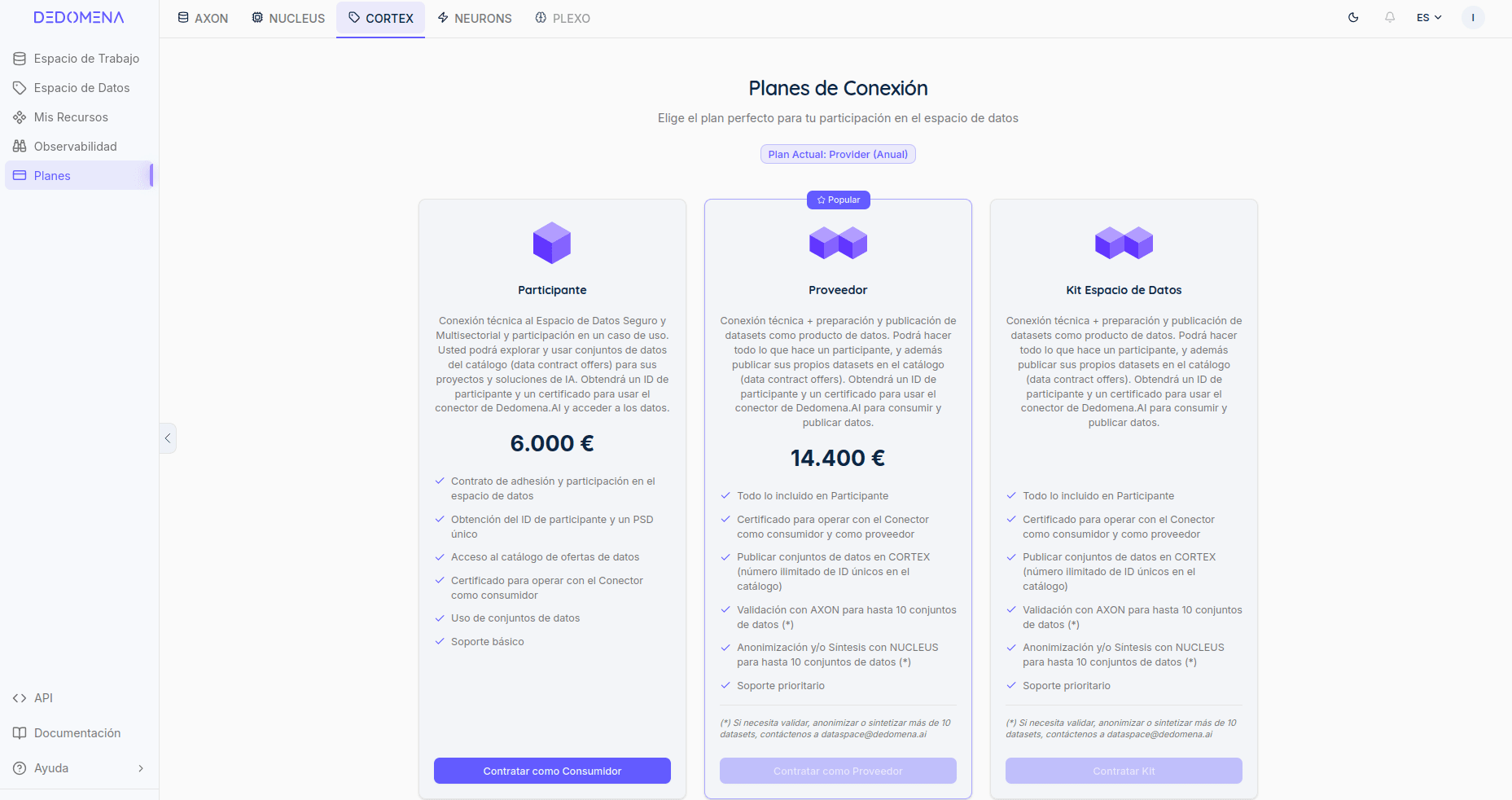
Two main types of roles and associated plans are offered:
-
Participant (Consumer): discovers offers in the catalog, negotiates access, and consumes the data or service under the accepted conditions.
-
Data Provider: the participant who publishes assets in the catalog, sets their price, use cases, and the usage policies that must be accepted to consume them. They retain full sovereignty over their data at all times.
-
Data Space Kit: inherits the characteristics of a provider role, plus the benefits and features of the "Data Space Kit" ("Kit Espacio de Datos") program set out by the Spanish Government.
The same organization can act as both provider and consumer at once, depending on the dataset or service involved.
Publishing a Dataset
The catalog is the set of data available for acquisition and consumption on DEDOMENA.AI. This catalog can be explored from the "Data Space" option in the side menu.

Before reaching the catalog, the dataset goes through the rest of the platform: it's connected and validated (AXON) and, if needed, anonymized or synthesized (NUCLEUS) so it can be shared safely.
Once it's ready, publishing it in Cortex means running the "Publish" action from the data's context menu, in the "Workspace" view, and following the steps to complete the required information:

-
Credential verification: ensures the provider is securely and unambiguously identified by presenting their personal digital Participant credential.
-
Configure the offer: title (updated in AXON), description, keywords, recommended use cases, and data classification (Public, Commercial, Personal, or Proprietary).
-
Set the price: paid (fixed amount) or free access.
-
Define policies and restrictions: what the consumer can do with the data (use, buy a usage license, distribute, train models, synthesize), what's expressly prohibited (no distribution, no resale, no public display, no training), and what obligations must be met (logging usage, notifying incidents, among others). Predefined policy packages are available (for example, "Public Dataset," "Commercial," or "Proprietary") that speed up this configuration.
-
Publish: the offer becomes visible in the catalog along with its full listing (data profiling, preview, automatic insights, compliance level, and applicable license).


Discovery from the Catalog
Consumers browse the global catalog, filtering by country, industry, or provider, and sorting by price, publication date, or name. You can also access catalogs made available in a distributed way through DEDOMENA.AI.


Once inside the detail view of an asset or collection of assets, each asset listing includes:
-
Details: description, use cases, provider, industry, publication date.
-
Profiling: data structure, null values, duplicates, density, and other quality metrics.
-
Preview: a sample of a limited number of rows.
-
Insights: automatically generated analysis of patterns and relevant findings.
-
Visualizations: a set of custom charts the user can create to get a personalized preview.
-
Compliance: the data's risk and privacy level (for example, whether it has already been anonymized).
-
Governance: an operational summary of this asset's governance, including traceability, quality assessment, and a summary of changes or improvements made.
-
License: the dataset's identifier, its self-description (DSD, Dataset Self-Description), and the details of the policies and restrictions that must be accepted to consume it.

Consuming Data: Negotiation and Acquisition
Any participant can also consume data. To do so, go to the "Data Space" view, where you'll find the catalog and the list of available assets. Steps to follow:

-
Select the offer of interest in the catalog and request to consume it via the "Consume Data" button.
-
Authenticate with the participant's digital certificate (only once per session).
-
Accept the policies and restrictions defined by the provider for that data. This triggers an internal negotiation process, verifying the provenance of both provider and consumer, and the policies attached to the asset of interest.
-
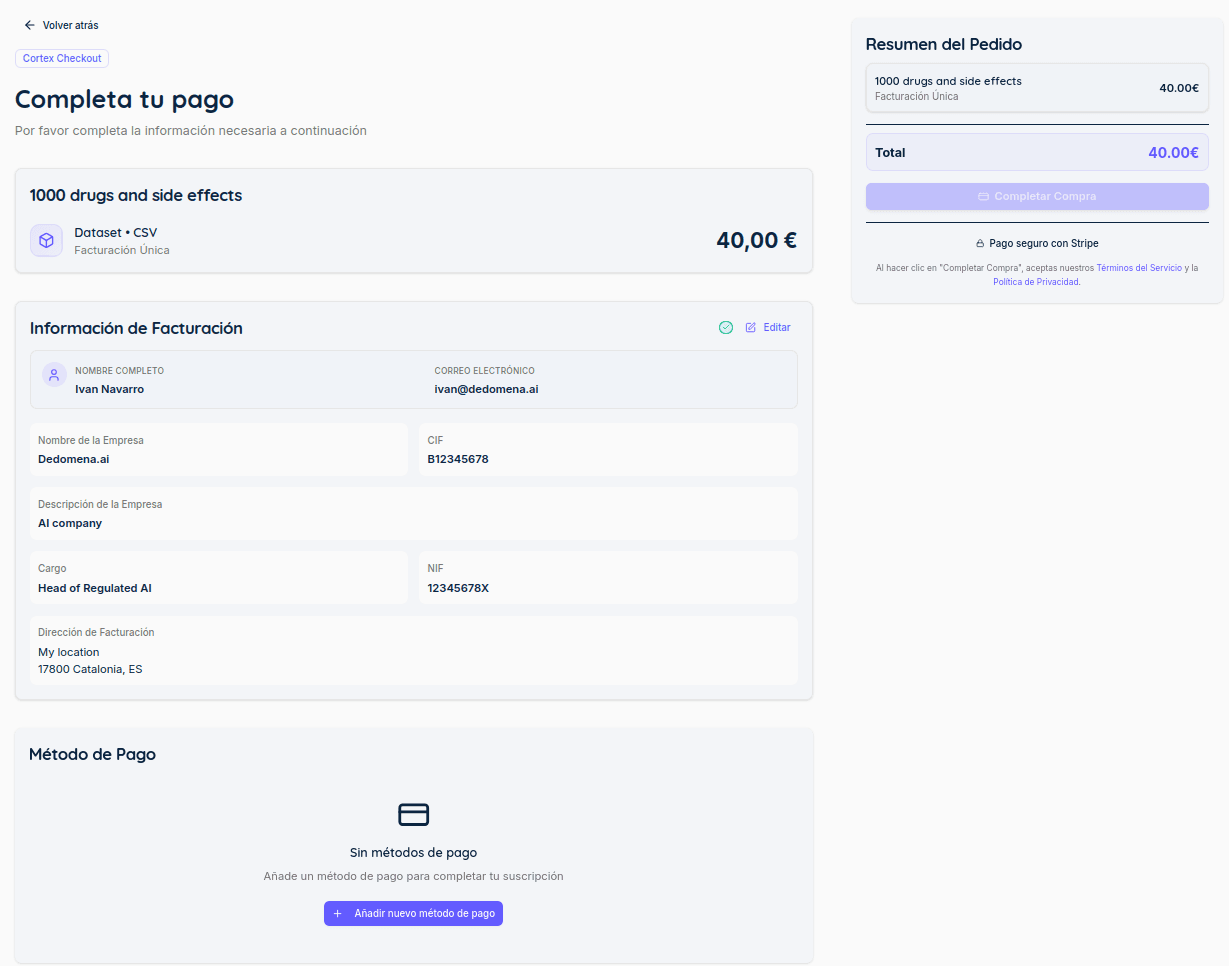
Complete payment, if the negotiation was successful, whether the offer is free or has an associated cost.
-
Access the data: once the terms are accepted and, if applicable, payment is completed, the contract between the parties is generated automatically and the dataset becomes available in the consumer's Workspace.
The entire negotiation process is recorded as part of the agreement between provider and consumer, so both parties have a verifiable record of the accepted terms.